A creative two-column resume template designed to pass every major applicant tracking system. Edit any section, switch colours, and download a polished PDF in under 3 minutes — completely free.
The Playful - General Two Column resume template is a creative two-column design built for professionals who value clarity, structure, and ATS compatibility. With clean typography, balanced spacing, and a two column layout, it presents your experience the way recruiters expect to see it — no guesswork, no scanning issues, no format penalties from automated screeners.
Every Pika template is rigorously tested against the leading applicant tracking systems used by employers worldwide, including Workday, Greenhouse, Lever, Taleo, and SmartRecruiters. Section headings use standard terminology (Experience, Education, Skills, Projects), spacing is parser-friendly, and there are no tables, text-in-images, or other ATS-hostile elements. You get the visual polish without the parsing risk.
Who Should Use the Playful - General Two Column Template?
Playful - General Two Column works for a wide range of roles and experience levels. The two column layout makes it especially well-suited to candidates with a strong professional history, technical specialisations, or detailed project work to highlight. Pair it with the right colour palette and content tone, and it adapts seamlessly across industries — tech, finance, marketing, design, healthcare, and beyond.
How to Use This Template
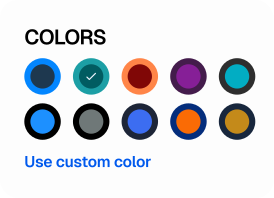
Click "Use this template" above. Your editor opens with the Playful - General Two Column layout pre-loaded. Auto-fill from LinkedIn, upload an existing resume to import its content, or start from scratch. Use Pika Intelligence to rewrite weak bullets, match a specific job description, or run a free ATS check before you download. Every template is fully editable — change colours, rearrange sections, switch fonts, and tweak spacing without breaking ATS compatibility.
Free Resume Templates — ATS-Tested for Every Industry
Browse Pika Resume's free library of professional, ATS-tested resume templates. Every template is designed to pass Applicant Tracking System screening (Workday, Greenhouse, Lever, Taleo) and to look polished in a recruiter's seven-second skim. Pick a style that matches your role and career stage, customise it in the editor, and download a high-quality PDF — no credit card required.
Why Template Choice Matters
A resume template is more than aesthetics — it determines whether your content reaches a human at all. ATS parsers struggle with multi-column tables, text inside images, decorative graphics, and non-standard section headings ("What I've Done" instead of "Experience"). Pika's templates avoid every one of these pitfalls. They're tested against leading ATS platforms so every resume you build passes automated screening by default.
Browse Templates by Style
Pika Resume curates templates into ten style collections. Click any link below to see only the templates that match that style:
Modern Resume Templates — Clean lines, bold typography, and strategic use of white space. Our modern templates help you make a strong first impression while staying fully ATS-compatible.
Traditional Resume Templates — Timeless layouts trusted by recruiters across every industry. Our traditional templates prioritise clarity, structure, and professionalism — the qualities hiring managers value most.
Creative Resume Templates — Make your application memorable with designs that showcase your personality. Our creative templates combine visual flair with ATS-friendly structure so your resume gets noticed and gets through.
Contemporary Resume Templates — Fresh, approachable designs that feel current without being flashy. Our contemporary templates strike the perfect balance between professionalism and personality.
Minimalist Resume Templates — Less is more. Our minimalist templates strip away visual noise so recruiters can focus on what matters — your qualifications, experience, and potential.
ATS-Friendly Resume Templates — Every template in our library is tested against leading applicant tracking systems. Clean headings, standard sections, and properly structured content ensure your resume passes automated screening every time.
Simple Resume Templates — Clean, straightforward designs that put your qualifications front and centre. No visual clutter, no distractions — just a professional resume that is easy to read and easy to customise.
Professional Resume Templates — Polished, recruiter-approved designs that communicate competence and confidence. Our professional templates are trusted by job seekers across corporate, management, and executive roles.
Harvard Resume Templates — The classic resume format recommended by Harvard Office of Career Services. A clean, single-column layout with traditional formatting that has helped thousands of graduates land roles at top firms.
High School Resume Templates — Your first resume does not need work experience to be impressive. Our templates help you showcase academics, extracurriculars, volunteer work, and skills that matter to employers.
How to Pick the Right Resume Template
For corporate roles in finance, consulting, technology, or healthcare, pick a modern, minimalist, or professional template — they signal competence without distraction. For academic, legal, or government applications, the Harvard or traditional style is the safest bet. For design, marketing, or creative roles, the creative collection adds personality without sacrificing ATS compatibility. If you're early in your career or applying for your first job, the high-school and ATS-friendly collections are tailored for showcasing skills with limited experience.
How to Use a Pika Resume Template
Pick a template that matches your industry. Auto-fill your details via LinkedIn import or upload an existing resume to start with your content already in place. Fine-tune section content with our AI editor, swap colours and fonts, and rearrange sections to your preference. Download the final resume as a PDF when you're satisfied. The whole process typically takes under three minutes for a first resume and under one minute for updates.
Frequently Asked Questions
Are these resume templates really free?
Yes. Every template on Pika Resume is free to use. Sign up, pick a template, customise it in our editor, and download the final resume as a PDF — at no cost.
Are Pika Resume templates ATS-friendly?
Yes. Every template is rigorously tested against leading Applicant Tracking Systems including Workday, Greenhouse, Lever, and Taleo. Our designs use clean single- and two-column layouts, standard fonts, proper heading structure, and avoid graphics or tables that confuse ATS parsers.
What template styles are available?
Pika Resume offers modern, traditional, creative, contemporary, minimalist, simple, professional, ATS-friendly, Harvard, and high-school resume template collections. Each style is curated for a specific kind of role or career stage.
Can I customise the colours, fonts, and layout?
Absolutely. Our drag-and-drop builder lets you change colours, swap fonts, reorder sections, switch between single- and two-column layouts, and add or remove sections to match your personal style and the expectations of your target industry.
Which resume template should I pick?
For most corporate roles (finance, consulting, tech, healthcare), pick a modern, minimalist, or professional template. For academic or government applications, use the Harvard or traditional style. For design, marketing, or creative roles, the creative collection has more personality without sacrificing ATS compatibility. When in doubt, choose ATS-friendly templates.
What format can I download my resume in?
Resumes are exported as high-quality PDF files — the format most preferred by recruiters and ATS platforms worldwide.
Do I need to be logged in to use a template?
You can browse all templates without logging in. To save your work and download a resume, you need a free Pika Resume account — signup takes seconds and requires no credit card.
Playful - General Two Column Resume Template — Creative Two-column | Pika Resume